
Striving to remove barriers that prevent us from building Vibrant, Diverse, Inclusive, Accessible Communities!
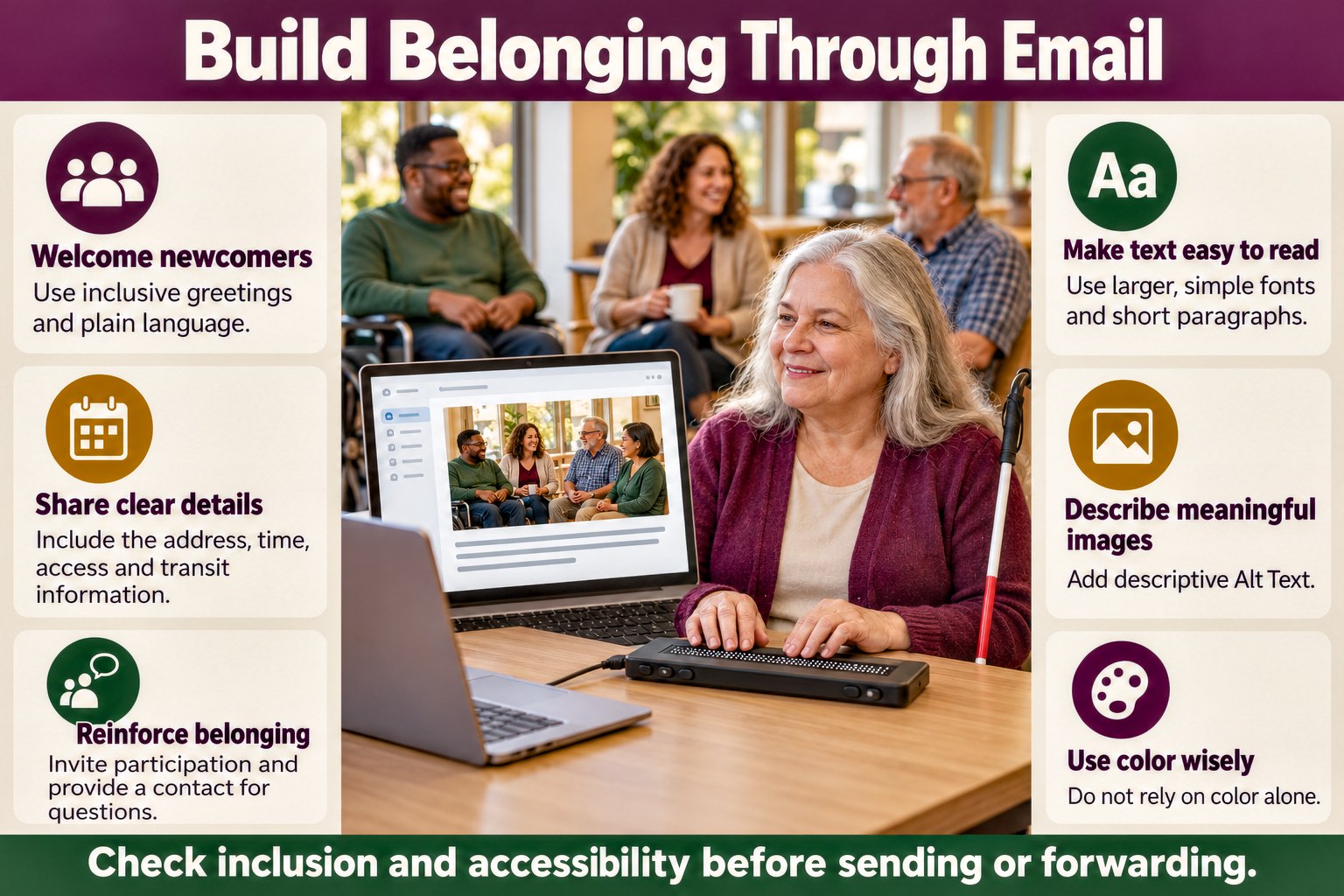
Email is how most communities share news, invitations, and plans. Each message tells its readers whether they were expected, and we get to decide what it says.
Imagine receiving a community message that leaves you out because of your age, gender, culture, race, or disability. It tells you, "You are not one of us" and "You don't belong with us." That is otherness: treating some members as outsiders. It works against the community the message was meant to build.
The good news is that the fix is within reach. People with Disabilities have heard many excuses, and none of them repairs anything. Together we can remove the barriers that keep members from taking part. The barrier is in the message, not in the reader, which is the heart of the social model of disability.
Throughout, our guide is the international accessibility standards, which show what removing a barrier looks like in practice. Let's look at wording that welcomes readers, the details that let members attend, the single most important accessibility step, which is describing every picture, the other formatting choices that matter, and the responsibility every writer of community messages carries.
Write wording that welcomes readers
Small wording choices change how welcome people feel, and each of these is easy to adopt.
Greet and name people inclusively
Greet the group with words that include every member. The gender inclusive language guidance from the United States Department of Commerce suggests "Hi all," "everyone," "folks," or "colleagues" in place of "Hi guys," and "chair" or "chairperson" in place of "chairman." When you address the adults who bring children, write "parents and caregivers."
Write for readers who are new
Newcomers cannot follow plans they were never told. Instead of "As you all know, we're meeting at the usual spot," write "We will meet at the Main Street Library, the same place as last month." Name each tool and explain it: "Join us on Zoom. The video link is below," or "Fill out this short Google Form to tell us you are coming."
Section508.gov, the United States federal guidance on accessible email, asks authors to use plain language appropriate for the intended audience, to avoid acronyms, and to avoid long paragraphs and filler phrases.
Say what is already in place
A general statement such as "everyone is welcome" does not tell a reader what to expect. Specific words welcome more people, and they work best when they describe what is already in place. Nobody should have to ask for access. Turn captions on, so Deaf and hard of hearing members can follow spoken content. Have large print and electronic copies of handouts ready, so Blind members and members with Low Vision can read them. Plan interpreters, routes with no steps, seating, and fragrance free rooms from the start, because each one removes a different barrier. The guide to planning welcoming, accessible gatherings explains how to plan access from the start and confirm each item ahead of time.
Members know where the barriers are, so invite them to tell you about any you missed. That is consultation, not a condition of getting in.
Try: "Live captions will be on, handouts will be ready in large print and by email, and the room has a ramp and seating with space for wheelchairs. First time guests are welcome. If we missed a barrier, reply to this email or text Alex at (555) 123-4567, and we will remove it before the event. Your message stays private."
Make locations explicit
Insider phrasing such as "We're meeting at Mary's house" confuses readers who do not know Mary, her address, or whether newcomers are welcome. Give the address, the date and time, a description of the entrance, and a clear cue that newcomers belong. The names and addresses in these examples are samples.
Location wording example
Instead of: "We're holding our meetup at Mary's house. See you there!"
Try: "We will meet at 123 Oak Street, Springfield, on , from 3:00 to 5:00 in the afternoon. The entrance has a ramp, and seating is indoors. Street parking is on Oak Street and Second Street. First time guests are welcome. If anything about the location is a barrier, reply to this email or text Alex at (555) 123-4567, and we will remove it before the day."
Not everyone drives. Hold events where public transportation reaches the door whenever you can, and give transit directions beside the driving directions.
Public transit directions
- Nearest stops: The Oak and Second bus stop is one block from the entrance and has curb cuts along the route. Springfield Central Station is 0.4 miles away with elevator access and an exit with no steps.
- Walking from Oak and Second: Go north on Oak Street for one block. 123 Oak is on the right, across from the library. The ramped entrance is at the front.
- Walking from Springfield Central Station: Use the east exit, which has no steps. Follow Central Avenue to Oak Street, turn right, and continue two blocks to the ramped entrance.
- Bus lines serving the area: Route 12 and Route 7 stop at Oak and Second.
- Train access: The Blue Line stops at Springfield Central Station, which has elevator access.
- Path with no steps: Curb cuts are present at all corners, and the ramped entrance is on Oak Street. The door is 36 inches wide with a lever handle.
- Drop off and paratransit: The Oak Street loading zone in front of the entrance can be used for drop offs, paratransit, or rideshare.
Optional shared transportation
Attendees sometimes arrange rides with each other. If you would like to connect with someone from your area, whether you drive or not, email or text Alex at (555) 123-4567.
End with language that reinforces belonging
A closing line is a final chance to invite readers in. Here are five samples.
- We would love to see you there. Your voice shapes what we do.
- This group gets better with every person who joins, and we cannot wait to welcome you.
- Thank you for being part of this community. Your presence makes a difference.
- Join us and bring your ideas. Together we make this space stronger.
- You matter here. Your story, your perspective, and your energy all belong.
Make messages accessible
What accessible means
Accessibility describes the design of products, devices, services, vehicles, and environments so that People with Disabilities can use them. Here, the product is an email message.
To make a message accessible, learn how the members who read it use their computers and phones.

Follow the international accessibility standards
Accessibility is not a matter of taste or goodwill. The international accessibility standards say what makes content usable by People with Disabilities, and every choice in this article comes from them. The World Wide Web Consortium (W3C) publishes them as the Web Content Accessibility Guidelines (WCAG). W3C encourages use of the latest version, WCAG 2.2, which it published on 5 October 2023 and updated on 12 December 2024, and it notes that the guidelines extend to documents and other information and communications technologies beyond the web.
WCAG groups its requirements into three levels, A, AA, and AAA. Section508.gov, the United States federal guidance on accessible email, requires federal emails, documents, and websites to meet at least AA. Following the standards means a message is built to include members with many kinds of disabilities from the start, so that nothing is left as a promise for later.
You do not have to learn them alone. The guide to training in the foundations of the international accessibility standards points to courses taught by the people who develop and maintain the standards, including instruction by People with Disabilities.
How Blind and DeafBlind People read email
Many Blind People read email with a screen reader, a program that reads the text on a screen aloud. Some DeafBlind People read with a refreshable braille display. The University of Washington's Disabilities, Opportunities, Internetworking, and Technology (DO-IT) program describes a refreshable braille display as hardware connected to a computer that shows screen text as braille characters, formed by pins that move up and down.
Both tools work from text. You do not have to learn braille or produce anything in braille. What matters is that the message is made of real text.
A picture is silent unless the sender describes it. A screen reader announces that alternative, and a braille display shows it. Without one, the reader may hear a file name, the word "picture," or nothing at all. Some screen readers can now describe a picture on request using artificial intelligence (AI). The Job Access With Speech (JAWS) screen reader, for example, offers a Picture Smart AI feature. A generated description cannot know why you chose the picture, so your own alt text remains the dependable way to carry its meaning.
This video shows how a Blind Person uses a screen reader.
In this video, Haben Girma, a DeafBlind advocate, uses a refreshable braille display. Listen for her message that disability does not hold anyone back and that the barriers are created by society. It is up to all of us to work together to remove them.
Describe every image
If you do one thing from this article, describe every picture. To a Blind reader, a picture with no description is a blank space, and whatever it carries, whether a date, a place, a face, or a feeling, never arrives.
Alt text, short for alternative text, is a brief description of an image that you add in the place your email program provides. It does not change how the image looks. It gives Blind readers and readers with Low Vision the meaning the image carries. Describe the image as you would to a listener on the radio or on the phone.
WCAG Success Criterion 1.1.1 requires that every picture and other piece of content that is not text has a text alternative serving the equivalent purpose. Pure decoration is the exception, and it is built so that access technology can ignore it. Section508.gov asks that all images have alt text or be marked as decorative.
Good alt text is clear and concise. Section508.gov recommends fewer than 250 characters, no opening phrases such as "image of" or "photo of," and a period at the end. The article on writing meaningful descriptive alt text for images shows how to decide what to say.
Some pictures carry more than a short description can hold. A flyer, schedule, chart, map, or screenshot holds information, so type that information in the body of the message as well, and add a longer visual description in the message when the picture contains more than alt text can say. Section508.gov asks that images intended to convey meaning have a textual equivalent available, and it advises avoiding text on images. Harvard University's guidance agrees: words embedded in an image should also appear in the body of the message or in the alt text. For photographs of people, describe the person, the activity, and the purpose of the picture, and respect how people describe themselves. Pictures that only decorate can be marked as decorative, so that a screen reader skips them.
Each email program adds alt text in its own way.
- Gmail on a computer: Insert the image and click it. Choose the Edit Alt Text link in the row of links below the image, and type a summary of the picture, including any words in the image that are not already in the message. See Wake Forest University's guide.
- Outlook: Right click the image and choose Edit Alt Text, as Harvard University's guidance describes. Microsoft also publishes instructions for adding alternative text.
- Mailchimp: Add alt text in the email builder, as described in Mailchimp's guidance.
Choose type that most readers can read
Use a standard sans serif font such as Arial, Calibri, or Tahoma. Left align the text instead of centering or justifying it, and write short paragraphs.
WCAG sets no minimum font size. It does require that readers can enlarge text up to 200 percent without losing content or functionality, so avoid settings that lock the size. Harvard University's guidance typically asks for at least 11 or 12 points, and Section508.gov asks for at least 10 to 11 points. Start at 12 points or larger. Larger type serves members with Low Vision and older members, and it is easier on every reader.
Use color with care
Text must have enough contrast against its background. WCAG Success Criterion 1.4.3 sets a contrast ratio, the measured difference between text and background colors, of at least 4.5:1 for normal text and at least 3:1 for large text, which means 18 point text or 14 point bold text. Black text on a white background is the simplest choice, and light text on a light background fails.
Color must never be the only way a message carries meaning. Success Criterion 1.4.1 says so directly. If a deadline appears in red, also write the word "Deadline." Readers who are color blind or have Low Vision then receive the same information.
Write links, buttons, and subject lines that are easy to use
Link text should make sense on its own. Success Criterion 2.4.4, a Level A requirement, asks that the purpose of each link can be determined from its text or its surrounding context, and Section508.gov advises against "Click here," "Learn more," "Read more," and web addresses used as link text. Buttons and links should also be large enough to select. Success Criterion 2.5.8 sets a minimum target of 24 by 24 Cascading Style Sheets (CSS) pixels at Level AA, which serves readers with hand tremors or limited dexterity.
The subject line should say what the message is about. Section508.gov asks that the subject and body clearly and concisely state the purpose of the message.
For tables, forms, or other special formats, consult WCAG. Harvard University's guide to creating accessible emails advises against tables for layout and asks for a logical reading order.
Own what you write
If you write messages for a community, you shape what reaches your members, and that is a real chance to build belonging. Two questions belong in every message you create.
- Does every picture have a description? Check that each picture carries alt text and that no key fact, such as a date, a place, or how to join, appears only inside an image.
- Does the message welcome the reader? Check the greeting, the plain language, the location and access details, and the closing.
Sometimes you forward a message that someone else wrote. Check it against these same practices first, and if it falls short, return it to the sender and offer to work on the repair together. The article on how to tell whether an email message is accessible shows how to check a message you did not write.
Ableism 101 defines ableism as discrimination and social prejudice against People with Disabilities, based on the belief that typical abilities are superior. This video explores the word.
Imagine what changes when every writer in a community takes a little time to learn these practices: each message becomes an invitation that more members can accept.
Questions for reflection
- If you receive an email message that was sent to the entire community that excluded you because of your age, gender, culture, race, and/or disability, what does that do?
- Before you send a message with a picture in it, what do you ask yourself about what a Blind reader will receive from that picture? When a flyer carries the date, place, and time, where else do those facts appear in the message?
- Who in your community decides whether a picture is decoration or carries meaning, and when did Blind members last tell you what your descriptions gave them or left out? What would you change if they told you today?
- Think of the last five messages your community sent. Which greetings, phrases, or shared assumptions might a newcomer, a parent, or a member of another generation or culture have read as a sign that they were not expected, and how do you know? Whom have you asked?
- When your invitations name a place, which access details do they state up front, such as the entrance, seating, parking, public transit, and captions, and where do they invite members to tell you about a barrier you missed? Which members have told you whether those details were enough?
- Which international accessibility standards does your community follow when it writes messages, who learned them and from whom, and how do you check that a message meets them? Which People with Disabilities took part in that learning and in that checking?
- Which access features does your community provide at every gathering without anyone asking, and which still wait for a request? What does a member learn about that from your invitations, and who decides when a feature moves from waiting to standard?
