
Striving to remove barriers that prevent us from building Vibrant, Diverse, Inclusive, Accessible Communities!
Show/Hide Description
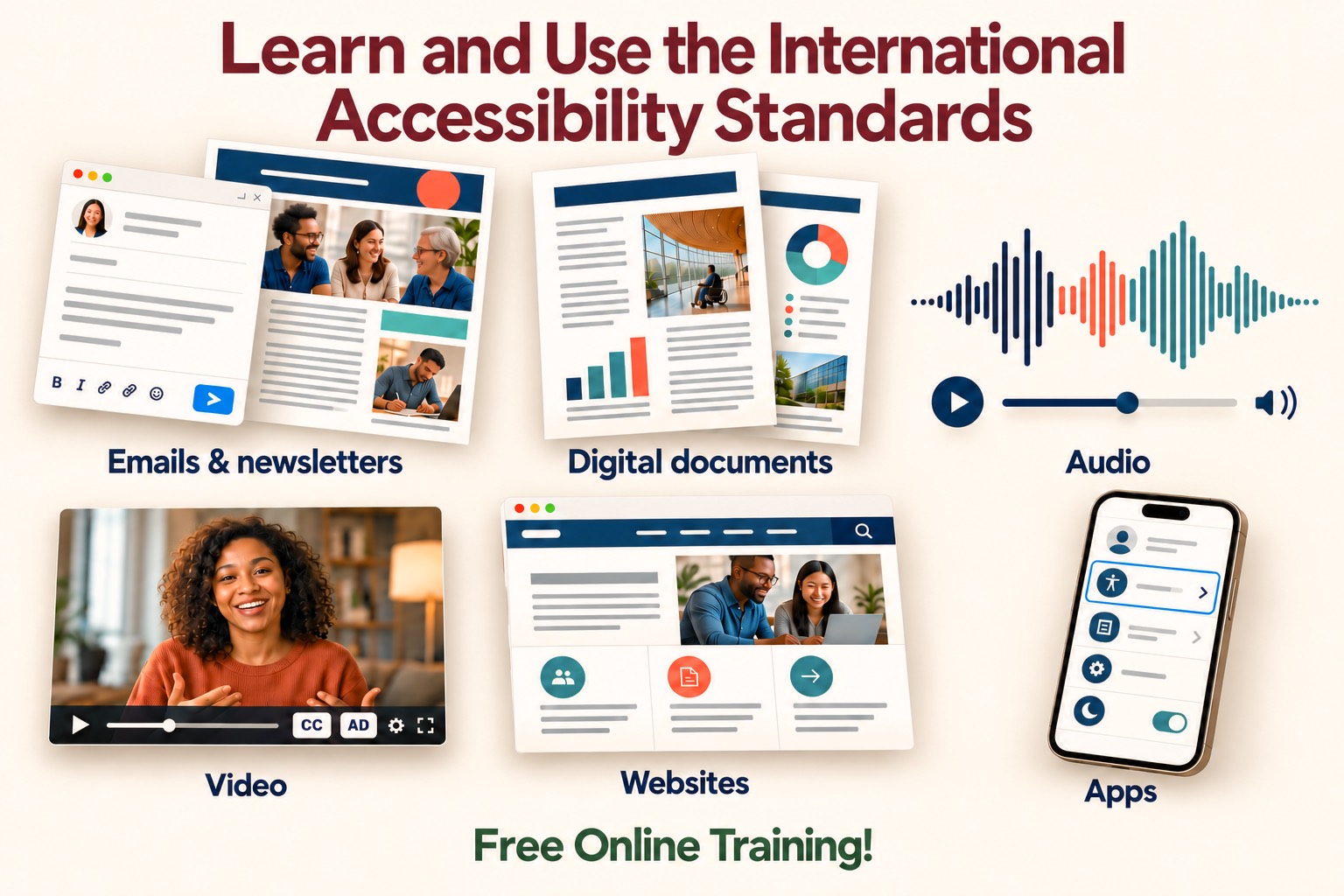
Overview: A graphic on a cream background with the title "Learn and Use the International Accessibility Standards" in dark red letters at the top. Six pictures with labels show the kinds of content the standards cover. The words "Free Online Training!" appear in green at the bottom.
Emails & newsletters (upper left): An email window with a toolbar of bold, italic, link, and emoji icons and a blue send button sits in front of a newsletter page with a red circle in its header. The newsletter shows a photograph of three smiling people, a man with glasses and a beard, a woman with brown hair, and an older woman with gray hair and glasses, and a second photograph of a man writing at a laptop.
Digital documents (upper center): A document page with a blue header holds a photograph of a person in a wheelchair looking through tall windows of a curved building, a bar chart, and lines of text. A second page behind it shows a donut chart and a photograph of a building.
Audio (upper right): A sound wave in navy, orange, and teal sits above a round play button, a slider, and a speaker icon with a volume control.
Video (lower left): A smiling woman with curly dark hair in a rust colored sweater speaks with her hands open. The video player below her shows a play button, a progress slider, buttons marked "CC" and "AD", a settings icon, and a full screen icon.
Websites (lower center): A browser window with a navigation bar and a search icon shows a photograph of a man with glasses and a woman smiling at a laptop. Three icons below it show a group of people, a document, and an arrow.
Apps (lower right): A smartphone shows a settings menu. One row with an accessibility symbol is highlighted with a blue outline. Other rows show a document icon, a gear, and a moon with a switch turned on.
More than 1 in 4 adults in the United States has some type of disability, according to the Centers for Disease Control and Prevention (CDC). Worldwide, about 1.3 billion people, 1 in 6, experience significant disability, according to the World Health Organization (WHO). Every email, newsletter, flyer, slide deck, recording, and video that a community sends reaches members from these groups. Whether a Blind, Deaf, hard of hearing, or Low Vision member can read, hear, or follow each one depends on the person who produced it.
Friends, if you write community emails and newsletters, prepare documents and slides for meetings, or record audio and video, that responsibility is yours. Training in the International Accessibility Standards gives you the skills to meet it before anything goes out. This article points to free training from the people who write the standards, and to the related articles that apply those standards to each kind of material a community produces.
Why Training in the Standards Matters for Community Communications
An email that a screen reader cannot read, a video without captions or Audio Description, a PDF that is only a picture of a page, and slides built without structure each keep members out of the life of the community. The people who produce these materials create the barriers or remove them. Accessible content removes the barriers that keep People with Disabilities from taking part fully in community life. It upholds their human and civil rights and works against discrimination and oppression.
The International Accessibility Standards come from the World Wide Web Consortium (W3C) Web Accessibility Initiative (WAI). Its Web Content Accessibility Guidelines (WCAG) are the foundation, and the current version is WCAG 2.2. W3C published WCAG 2.2 on 5 October 2023 and updated it on 12 December 2024, and the October 2023 version is also the international standard ISO/IEC 40500:2025. W3C also publishes guidance on applying WCAG to content outside the web, such as standalone documents and software. WCAG is the most broadly adopted web accessibility standard in the world, and W3C works for the harmonization of standards across countries.
‘Abdu’l-Bahá shared this teaching of Bahá’u’lláh in a talk in Montreal in 1912:
“Bahá’u’lláh has announced that inasmuch as ignorance and lack of education are barriers of separation among mankind, all must receive training and instruction. Through this provision the lack of mutual understanding will be remedied and the unity of mankind furthered and advanced.” -‘Abdu’l-Bahá, The Promulgation of Universal Peace
Training turns that teaching into practice. Producers learn what the standards require before a message goes out, not after a Blind member reports that it could not be read.
What the Law Requires of Those Who Produce Digital Content
Laws in many places set accessibility requirements, and W3C keeps a list of laws and policies by country. Three examples show the range:
- United States: The 2024 Department of Justice rule under the Americans with Disabilities Act (ADA) sets WCAG 2.1 Level AA as the standard for the web content and services of state and local governments.
- European Union: The European Accessibility Act of 2019 applies to both the public and private sectors, and the Web and Mobile Accessibility Directive of 2016 applies to the public sector.
- Canada: Under the Accessible Canada Regulations, federal departments and agencies, Crown corporations, and medium and large federally regulated organizations must provide employees with training on the fundamentals of digital technology accessibility by 5 December 2027. They must also meet the standard CAN/ASC EN 301 549:2024 for web pages, digital documents, and mobile applications on dates in 2027 and 2028.
Check which laws apply where your community or institution operates. Content that does not meet the standards keeps People with Disabilities out and keeps discrimination in place, whether or not a law applies.
Learn from the People Who Write the Standards and from People with Disabilities
One of the best ways to learn the standards is directly from the people who develop and maintain them at W3C WAI. Instruction from People with Disabilities who depend on these standards is also recommended. They know where the barriers are, and the practice of removing barriers begins with consulting them. The Bahá’í International Community described the purpose of education this way:
“Education must be lifelong. It should help people to develop the knowledge, values, attitudes and skills necessary to earn a livelihood and to contribute confidently and constructively to shaping communities that reflect principles of justice, equity and unity.” -Bahá’í International Community, Valuing Spirituality in Development, 18 February 1998
Free Training from W3C WAI
W3C WAI offers a self paced online course, which it presents as Digital Accessibility Foundations. Enrollment takes place on edX, where the course is titled Introduction to Web Accessibility. W3C WAI provides it with UNESCO. You can audit the course for free and get access to all of its content, or you can choose a Verified Certificate for $99 USD to show that you completed it. The certificate can be printed, listed on a résumé, and linked from online profiles.
The course takes about 16 to 20 hours, spread over four weeks of 4 to 5 hours each. It is designed for technical and non technical learners, including content authors, project managers, instructors, and People with Disabilities, so an email writer, a newsletter editor, or a presenter can take it. W3C states that the course will be available on edX through at least March 2027, and its course page was last updated on 22 October 2026.
What the Course Builds
The course gives you the foundation for making digital content accessible, so that it:
- works for People with Disabilities
- meets international standards
- improves the experience for other people as well, the pattern described in the article on the Curb Cut Effect
- achieves your goals
- removes barriers
Content that is not accessible excludes People with Disabilities from using the apps, websites, messages, and documents a community offers.
Apply the Standards to Each Kind of Community Material
The course builds the foundation. These articles apply it to the materials a community produces every week:
- Emails and newsletters: Inclusive, Accessible Email Messages shows how to write messages that build belonging, and How to tell if an Email Message is Accessible shows how to check a message before it is sent or forwarded.
- Documents and PDFs: Exposing the Design Failures of Using Print with Online PDFs explains how print designs saved as PDFs shut out People with Disabilities and older readers.
- Presentations and online meetings: Making On-line Meetings and Presentations Accessible shows how to design a meeting so that Blind participants are not left behind, and Dealing with Rude and Distracting Side Conversations in the Chat addresses a barrier for Blind People who use screen readers.
- Images in any of these materials: How to Write Meaningful Descriptive ALT Text for Images and Ensuring Inclusive and Accessible Content cover alt text, captions, and extended descriptions.
- Video and audio: Learn about and Use Audio Description in Video introduces Audio Description for Blind and Low Vision viewers alongside captions for Deaf and hard of hearing viewers.
- Meeting and study materials: How to make materials Accessible to your Blind Friends explains how to provide materials in the format each Blind participant chooses.
- Gatherings: Tips and Suggestions for how to Plan for a Welcoming and Inclusive Accessible Event or Gathering covers the invitations, materials, and programs around an event.
- Public commitment: What Message do you Intend to be Sending? shows that a community's accessibility practices send a public message, and that a Public Accessibility Statement makes the community accountable for it.
- Design guidance: Giving a damn about accessibility: A candid and practical handbook for designers and A complete guide for content creators to start making accessible content give practical steps for the people who produce the materials.
W3C also maintains a complete list of courses on digital accessibility education, training, and certification from providers in several countries.
Questions for Community Builders
- Who in our community writes emails and newsletters, prepares documents and slides, and records audio or video, and which of them have completed training in the International Accessibility Standards? What has kept the others from it?
- Before a message, file, or recording goes out, who checks it against the standards, and what happens to one that does not meet them? Who decides when it is fixed, and by what date?
- Which People with Disabilities who use screen readers, captions, Audio Description, or other access technology have been asked to teach, test, or review our materials, and how is their work recognized and paid?
- What does our budget set aside for training, for the optional certificate, and for correcting materials where barriers are found? Who pays for these now, and who decided that?
- Which laws and policies apply to our community or institution and to what we publish, who is responsible for knowing them, and when did we last review them?
- If members of our community have completed training, what changed in what we publish, and which barriers did we find that we had not seen before? If no one has, what is the first step and who will take it?
