
Striving to remove barriers that prevent us from building Vibrant, Diverse, Inclusive, Accessible Communities!
Every publication makes a decision about who can read it. When a community puts its newsletters, study materials, and reports into print and into PDF (Portable Document Format) files, that decision is made at the moment the layout is fixed. The reader has no say in it.
Blind People who use screen readers, People with Low Vision, readers with dyslexia, older readers, and members who read on a phone each meet that fixed layout as a barrier. The Centers for Disease Control and Prevention (CDC) reports that more than 1 in 4 U.S. adults have some type of disability, so the readers affected are already part of every community.
This article explains why print with an online PDF fails these readers, what the evidence shows, and what Community Builders can do about it. It rests on inclusive design, which asks designers to recognize exclusion and involve diverse people, and on the Bahá’í principle of Unity in Diversity, which treats differences among people, including disability, as part of the diversity that makes a community whole.
Print and PDF Are Built for the Publisher
Print is fixed on paper. A reader cannot enlarge it, change its colors, or have it read aloud by a screen reader, and it carries no text description of its images. A PDF moves that same fixed page onto a screen.
Jakob Nielsen and Anna Kaley of the Nielsen Norman Group state that “PDFs are meant for distributing documents that users will print.” They conclude that PDF should never be used for reading on a screen, and they add that a PDF is not accessible by default. The article on avoiding PDF for on screen reading sets out the usability case in full.
The online version of a publication should not be a copy of the print version. It should follow the best practices for online publishing, which begin with real text, headings, and a layout that adapts to the reader.
What Readers Must Be Able to Do
The Web Content Accessibility Guidelines (WCAG), published by the World Wide Web Consortium (W3C), are the International Accessibility Standards for digital content. Three Level AA success criteria describe what readers must be able to do with what they read:
- Resize text (1.4.4): text can be enlarged up to 200 percent without loss of content or functionality. This serves People with Low Vision, who read by enlarging text.
- Reflow (1.4.10): content can be read at a width equivalent to 320 CSS pixels without scrolling in two directions, which is also what a page looks like after zooming to 400 percent. Without reflow, a reader who enlarges text must scroll back and forth to read each line. Content such as a table or a map that depends on a two dimensional layout is the exception.
- Text spacing (1.4.12): readers can increase the space between lines, words, and letters without loss of content. People with dyslexia may do this to read faster, and People with Low Vision who require more space between lines, words, and letters can then read the text.
A responsive web page is designed to adapt to the reader’s screen and settings, which is what these criteria ask for. A PDF keeps the print page. The W3C notes that content in a PDF built to the PDF/Universal Accessibility standard (PDF/UA, ISO 14289) can be reflowed, so an accessible PDF is possible. It is an extra layer of work that must be done, checked, and kept current for every file.
Who Is Locked Out
- Blind People who use screen readers can read a PDF only when it has been tagged with structure. In the 2023 Luxembourg analysis described below, a PDF without tags counted as not accessible.
- People with Low Vision must scroll sideways, line by line, when a fixed page is enlarged and does not reflow.
- Readers with dyslexia benefit when they can increase the spacing between lines, words, and letters, which WCAG protects for web content.
- Older readers who can no longer read small print benefit from the same ability to enlarge text.


Caption: Four readers who read published information in the way that works for them: with a headset and touchscreen computer, with a refreshable Braille display, and with a smartphone.
Readers on Phones
The Pew Research Center’s 2026 fact sheet on mobile technology reports that 91 percent of U.S. adults own a smartphone and that 16 percent are “smartphone only” internet users, meaning they have no home broadband. Pew adds that this reliance is especially common among Americans with lower household incomes and less formal education.
For these readers a PDF with several columns forces a choice. Fit the whole page on the screen and the text becomes too small to read, or zoom in and read only cropped fragments of sentences with no surrounding context.
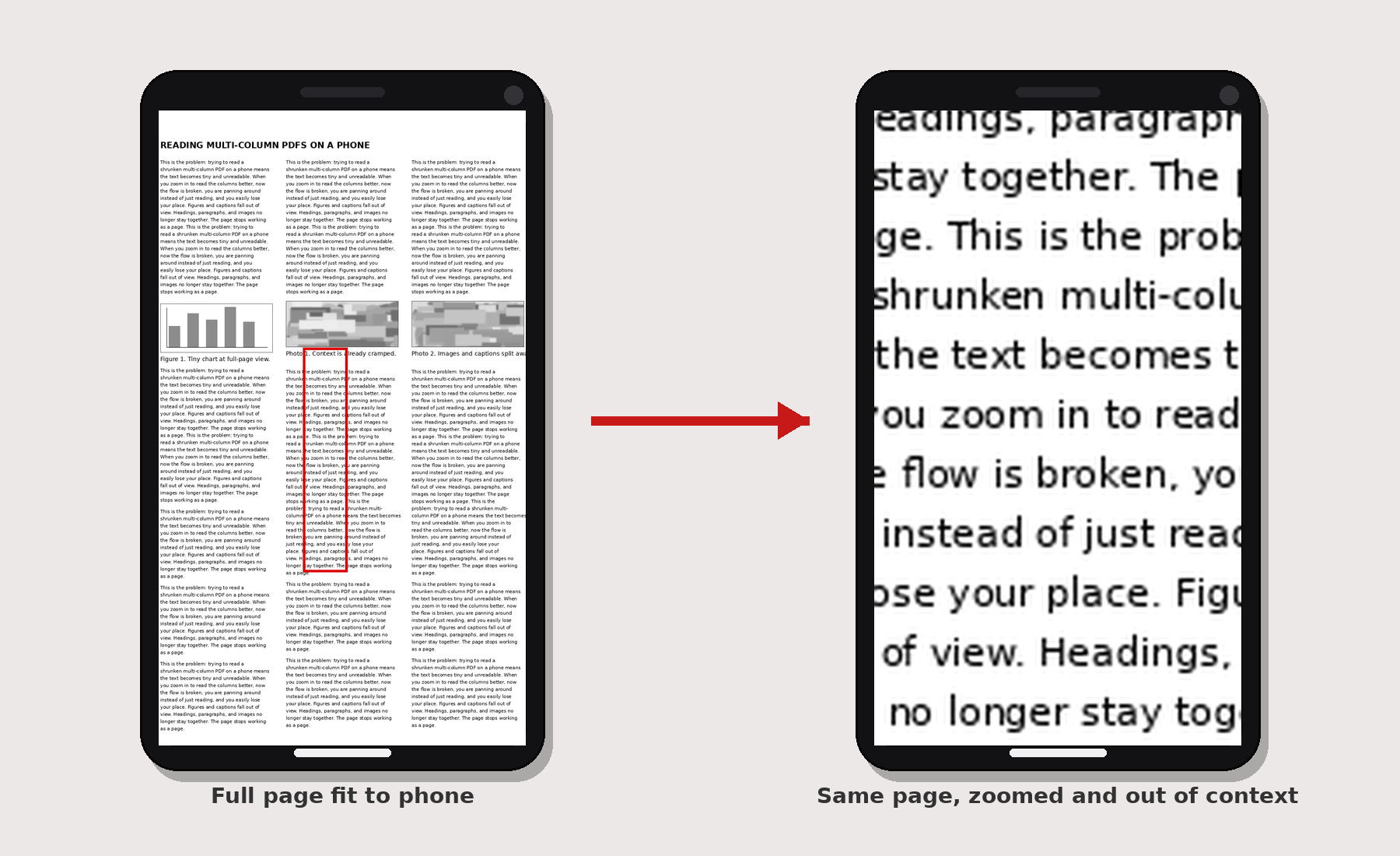



Caption: Readers of different ages, abilities, and economic circumstances who get information from a mobile phone.
PDFs Fail in Practice
Nielsen and Kaley point out that a PDF takes added work to make accessible. Two large studies show how often that work is missing:
- A 2023 analysis published by Luxembourg’s government accessibility site examined 25,398 PDFs on 17 of the country’s most visited websites. Of the 13,781 PDFs subject to the accessibility obligation, 59 percent had no tags.
- In a 2024 study, Anukriti Kumar and Lucy Lu Wang of the University of Washington tested 20,000 scholarly PDFs published between 2014 and 2023. Fewer than 3.2 percent met all of the accessibility criteria, and 74.9 percent met none.
Both studies describe particular groups of documents, not every PDF. Where this has been measured, though, an accessible PDF is the exception.
Web pages fail too. The 2026 WebAIM Million analysis, with results from February 2026, found WCAG 2 failures on 95.9 percent of the top one million home pages, an average of 56.1 errors per page. Choosing the web does not remove the duty to build to the standards. It places the content in the format the standards were written for, where one repair at the source reaches every reader.
Accessible Formats Are a Right, Not a Favor
The United Nations Convention on the Rights of Persons with Disabilities (CRPD) sets the expectation in two places. Article 9 calls for access, on an equal basis with others, to information and communications, and for access to the Internet. Article 21 calls for information intended for the general public to reach People with Disabilities in accessible formats and technologies appropriate to different kinds of disabilities, “in a timely manner and without additional cost.” An accessible version produced only on request is hard to reconcile with that wording, because it makes the reader ask, disclose, and wait.
In the United States, the Department of Justice (DOJ) has set a concrete baseline for state and local governments. Its Title II rule under the Americans with Disabilities Act (ADA) requires web content and mobile apps to meet WCAG 2.1 Level AA, and the DOJ guidance says that some of the PDFs on those sites must meet it while others fall under exceptions. After an April 2026 interim final rule, the compliance dates are April 26, 2027, for entities with populations of 50,000 or more, and April 26, 2028, for smaller entities and special districts. The rule applies to governments. It shows where the standard for online documents now sits.
Publish the Web Page First
The alternative to print with a PDF is a responsive web page as the original, with every other format made from it. Each element below serves a specific group of readers and removes a specific barrier:
- Real text and headings give screen reader users a way to move through a page by its structure. The W3C explains that headings communicate the organization of the content and that access technology can use them for navigation within the page.
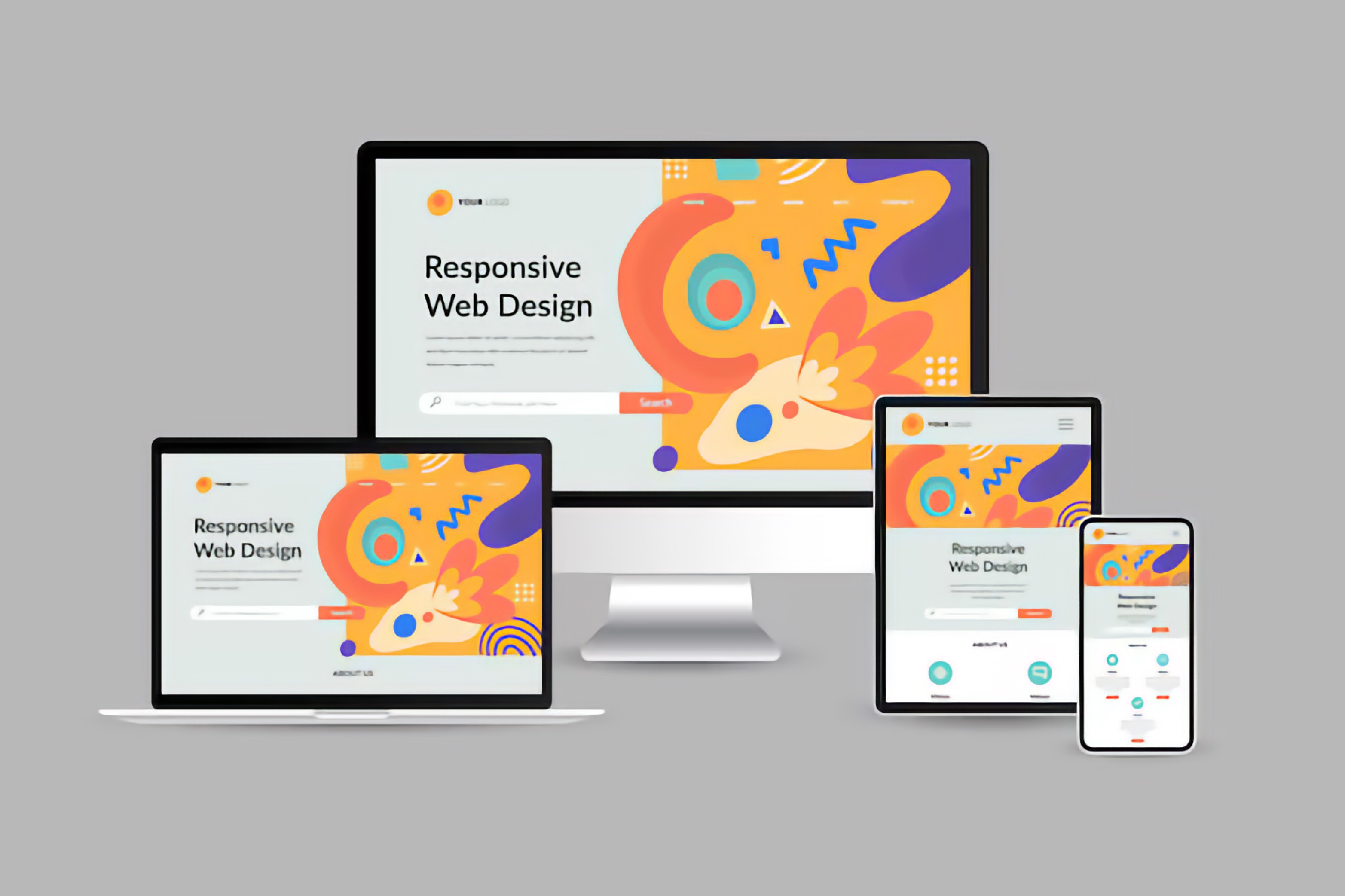
- A responsive layout lets readers on phones and People with Low Vision read without scrolling in two directions.
- A text description for each image gives Blind People the content of that image. A single description such as “A group of images about X” for a montage withholds from Blind readers the details that sighted readers see, so each image gets its own description, as the guide to writing meaningful, descriptive alt text explains.
- Captions give Deaf and Hard of Hearing viewers the spoken content of a video, and Audio Description gives Blind and Low Vision viewers the visual information.
Where the community also provides print, large print, or Braille, make it from the web page, and ask each member privately which format works best. The article on making materials accessible to Blind friends shows how.
Answering Common Defenses of Print and PDF
“We provide an accessible version on request”
Asking makes a Blind member disclose a disability, wait for a reply, and repeat the request for the next document. The accessible version should be the one every reader receives first.
“A PDF gives us control over the design”
It does, and that control belongs to the publisher. The reader loses the control that the standards above protect: enlarging text, reflowing a page, and changing spacing. A design that works only when the reader cannot change it fails the readers who must change it.
“Our members prefer print”
Where members prefer print, offer it. A preference for print does not justify withholding an accessible version from the readers who cannot use print. A mailing list that sends print to every member makes print the default and puts the burden of choosing anything else on the member. Making the accessible web page the default, with print by request, puts the small burden of asking on the reader who prefers print and removes it from the reader who cannot read print. The community controls that choice.
“An accessible PDF solves it”
It can solve part of it, at a price. The studies above show that an accessible PDF is the exception where it has been measured. A PDF kept for printing should be made from the accessible web page, tagged, and checked with a screen reader before release.
Consult People with Disabilities and Share the Responsibility
Article 4 of the CRPD directs governments to consult closely with persons with disabilities, and to involve them actively, in decisions that concern them. Community Builders can adopt the same practice. People with Disabilities and the advocacy groups that represent them know where the barriers are, because they meet them.
A publication cannot be called accessible because a checklist was completed. The people who use it verify that claim. When a community announces that its materials are accessible without having asked Blind People, People with Low Vision, and other readers to try them, the claim is unverified and may be wrong.
Mia Mingus describes the shift in values that access calls for:
“Liberatory access calls upon us to create different values for accessibility than we have historically had. It demands that the responsibility for access shifts from being an individual responsibility to a collective responsibility.” -Mia Mingus, Access Intimacy, Interdependence and Disability Justice
Publishers carry that collective responsibility when they choose the format before the reader arrives. Choosing a web page the reader can adjust is one way to carry it.
A Matter of Justice
Shoghi Effendi wrote about how a community should treat its minorities:
“If any discrimination is at all to be tolerated, it should be a discrimination not against, but rather in favor of the minority, be it racial or otherwise.” -Shoghi Effendi, The Advent of Divine Justice
A format chosen for the publisher’s convenience or habit does the opposite. It serves the majority of readers and locks out the minority who face the barrier. The Social Model of Disability locates the barrier in the format and the decision behind it, not in the reader. Treating accessibility as an optional favor offered when it suits the publisher is what the discussion of charity versus service calls a grave injustice. Removing the barrier is service, and the work is finished when the reader who faced the barrier can use the result.
Make that service accountable:
- Publish an accessibility statement that names the standards the community follows, tells readers how to report a barrier, and shows when the statement was last updated.
- Train the people who write, design, and post materials in the International Accessibility Standards before they publish.
- Provide a way to report a barrier that is itself accessible, is answered promptly, and ends with repair of the source file.
- Include People with Disabilities in testing, and in the decision about whether the test was passed.
Reflection Questions for Community Builders
- Think of what our community has published in the past year, including newsletters, announcements, study materials, and reports. For each item, which came first: a web page that readers can resize and reflow, or a print layout later saved as a PDF, and who decided?
- Which of our PDFs has a Blind member opened with a screen reader, and what did that member report about the reading order, the headings, and the descriptions of images?
- When a member cannot use a format we publish, how does that member tell us, how long does a reply take, and who repairs the original file so the next reader does not meet the same barrier?
- Do members receive the accessible version first, or must they ask for it? What does asking cost a member in disclosure, waiting, and effort, and how does that compare with the standard that accessible formats be provided in a timely manner and without additional cost?
- Which of our readers use only a phone, and what do they see when they open our PDFs with several columns? Have we asked them?
- Who took part in choosing our publication formats, and how would we know whether the voices of Blind People, People with Low Vision, older members, and readers who use only a phone changed the decision?
- Who writes, designs, and posts our materials, and do they learn the international accessibility standards before they publish or only after a barrier is reported?
- Where print remains part of our practice, is it one format that readers choose among others, or is it still the original from which every other format is converted?
